MiSTer Now Boots Disc-Based Games from Any USB Optical Drive
MiSTer can now boot original PlayStation, Sega CD, and other discs via USB optical drives, marking a major step for game preservation on FPGA hardware.
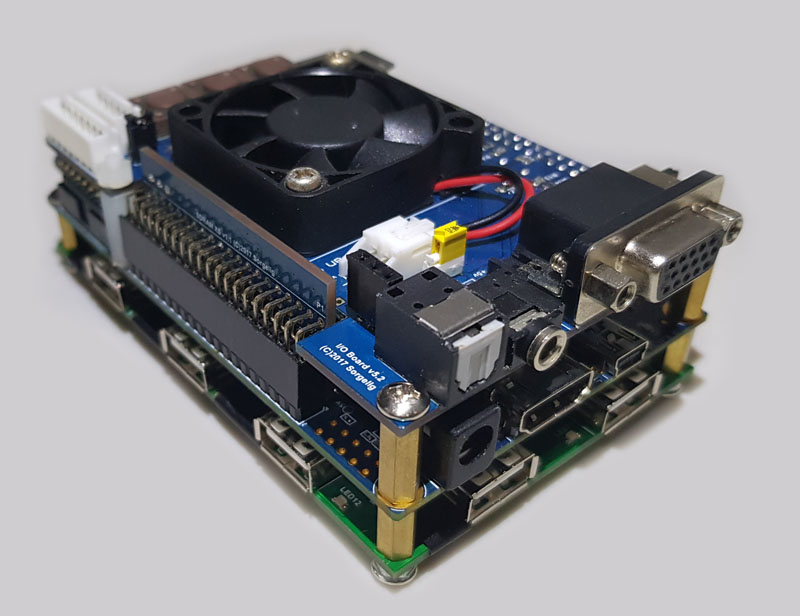
I’ve been using MiSTer for years, but I never expected to plug a USB DVD drive into it and boot an original PlayStation disc. Developer Anime0t4ku just made that possible with a new add-on that brings physical disc support to the FPGA project. The initial wave covers the PlayStation, Sega CD, TurboGrafx-16 / PC Engine CD, Sega Saturn, and Philips CD-i cores.
Installation is straightforward: download the latest release from GitHub, extract it to your MiSTer’s SD card, and add a single line to MiSTer.ini. Once you reboot, a “Physical Disc Cores” folder appears. Launch a core, drop in a disc, and the system behaves like original hardware. There’s no strict need to insert the disc before launching, and Anime0t4ku smartly uses .mgl files to avoid forking cores, so updates stay clean. The CD-i core requires its own fork for now, but that’s bundled in.
Practical considerations: slimline drives that pull power over the USB cable may need a powered hub, and old, beat-up drives can stutter. RetroRGB’s Bob tested an original PlayStation 1 disc on an old slimline drive and it stuttered, but noted a newer drive would likely run at full speed. This is a genuine preservation milestone. MiSTer was already the closest thing we had to playing original games without original hardware, but adding disc loading from any USB optical drive turns it into a complete retro station. No cartridge adapters, no ROM dumps. Just the disc you’ve kept on a shelf since 1995.